

You can transcribe Apple Podcast episodes for free using AI-powered tools like TranscribeTube. Upload your podcast audio file, select the language, and get an accurate transcript in minutes. With 619 million podcast listeners expected in 2026, transcripts are now essential for accessibility, SEO, and content repurposing.
What you'll need:
- An Apple Podcast episode (downloaded audio file or RSS feed URL)
- A free TranscribeTube account (includes 40 minutes of free transcription)
- A computer or mobile device with internet access
- Time estimate: 5-15 minutes per episode
- Skill level: Beginner-friendly
Quick overview of the process:
- Download your podcast audio — Get the MP3 or M4A file from your hosting platform
- Choose your transcription method — Use Apple's built-in transcripts or an AI tool like TranscribeTube
- Upload and transcribe — Let the AI process your audio (typically 2-5 minutes per hour of audio)
- Edit and refine — Review the transcript for accuracy and formatting
- Export and repurpose — Save in your preferred format and use for SEO, show notes, and social content
What Is a Podcast Transcript and Why Does It Matter?

A podcast transcript is a written version of your audio content. It converts spoken words into searchable, readable text that both humans and search engines can process.
This isn't just a nice-to-have. According to Sonix's automated transcription research, videos and podcasts with transcripts achieve a 91% completion rate compared to 66% without them. That's a 38% improvement in viewer retention just from adding text.
Transcripts serve three core functions:
- Accessibility — They make your content available to people who are deaf or hard of hearing. They also help non-native speakers follow along. Apple Podcasts now supports transcripts in 11 languages across 170+ countries.
- SEO value — Search engines can't listen to audio. Without a transcript, Google has no idea what your podcast discusses. A transcript gives crawlers thousands of indexable words tied to your episode page.
- Content repurposing — A single transcript becomes blog posts, social media snippets, email newsletters, and show notes. We'll cover this in detail later.
For podcasters publishing on Apple Podcasts, transcription has become a baseline expectation. Apple introduced automatic transcripts in March 2024, but their built-in feature has real limitations that third-party tools solve.
How Apple's Built-In Transcript Feature Works (and Its Limitations)

Apple automatically generates transcripts after you publish a new episode. The transcript appears in the Podcasts app, where listeners can read along with word-by-word highlighting during playback.
Here's what Apple's transcript feature includes:
- Available on iOS 17.4 or later
- Supports 11 languages: English, Danish, Dutch, Finnish, French, German, Italian, Norwegian, Portuguese, Spanish, and Swedish
- Listeners can search within transcripts for specific words or phrases
- Tap any text to jump to that point in the audio
The limitations you should know about:
| Feature | Apple Built-In | AI Tools (e.g., TranscribeTube) |
|---|---|---|
| Processing time | Up to 24 hours | 2-5 minutes per hour of audio |
| Editing capability | None | Full text editor synced with audio |
| Export formats | VTT only | TXT, SRT, VTT, DOCX, PDF |
| Speaker identification | Only with VTT upload | Automatic speaker diarization |
| Language support | 11 languages | 95+ languages |
| Episode length limit | 10 hours max | No practical limit |
| Private RSS feeds | Not supported | Fully supported |
| Custom vocabulary | Not available | Configurable for jargon |
Apple's system doesn't transcribe music lyrics, skips dynamically inserted audio (like mid-roll ads), and won't process episodes from private RSS feeds. If you need control over formatting, exports, or accuracy, you'll want a dedicated transcription tool.
Expected result: Your episodes will eventually get Apple-generated transcripts, but without editing tools or flexible exports. For professional use, this is a starting point rather than a complete solution.
Watch out for:
- Assuming Apple transcripts are immediate: New episodes can take up to 24 hours to get transcripts. If you need the transcript for show notes or a blog post right after publishing, you'll be waiting.
- Relying on Apple for non-English content: While 11 languages are supported, accuracy drops significantly for mixed-language episodes or heavy accents in less-supported languages.
Pro tip: I built the transcription pipeline behind TranscribeTube, and the pattern I see from creators is that running a dedicated AI tool alongside Apple's built-in feature gives you the best of both. Apple handles the in-app listener experience, while the AI tool gives you the editable, exportable version for content repurposing.
How Do You Actually Get an Apple Podcasts Episode Into a Transcription Tool?
Here's the part most guides skip. Apple Podcasts has no "export transcript" button and no public download link on the episode page. Apple is a directory, not the host: the audio itself lives in the show's RSS feed, and the Podcasts app simply reads that feed. So to transcribe an episode, you work back to the audio.
If it's your own show, grab the MP3 or M4A straight from your host (Buzzsprout, Libsyn, Transistor, and the rest all expose the file). For someone else's public episode, open the show's RSS feed and look for the <enclosure> tag — its url attribute is the direct audio link. Copy that, drop it into TranscribeTube, and the pipeline fetches and transcribes it like any other file.
One honest limitation I'll name plainly: this only works when a public audio URL exists. Apple- or Spotify-exclusive shows (and some members-only feeds) never publish that enclosure URL — the audio sits behind their player with no file to pull. For those, there's no clean way to transcribe the episode short of recording your own playback, and I wouldn't pretend otherwise.
Step-by-Step Guide: How to Transcribe Apple Podcasts with TranscribeTube

AI transcription has transformed podcast workflows. According to Sonix, 62% of professionals save over 4 hours weekly using automated transcription tools. Here's exactly how to transcribe your Apple Podcast episodes using TranscribeTube.
Step 1: Create Your Free TranscribeTube Account
Sign up at TranscribeTube.com to get 40 minutes of free transcription time. No credit card required.

Registration takes under a minute. You'll get immediate access to the dashboard where all your transcriptions are stored and organized.
You'll know it's working when: You see your dashboard with a "New Project" button and your free minutes balance showing 40 minutes.
Watch out for:
- Using a temporary email: Your transcriptions are tied to your account. Use an email you'll keep access to so you don't lose your transcript history.
- Skipping email verification: Some features require a verified email. Complete verification right away to avoid interruptions later.
Step 2: Navigate to Your Dashboard and Start a New Project
Once logged in, click "New Project" from your dashboard to begin a new transcription.

Your dashboard shows all previous transcriptions, making it easy to find and re-edit past work. For a new transcription, select the file type that matches your podcast recording.

You'll know it's working when: You see the file type selection screen with options for audio files, video files, and YouTube URLs.
Watch out for:
- Choosing the wrong file type: Select "Audio File" for podcast episodes. Choosing "YouTube URL" won't work for Apple Podcast files unless your episode is also on YouTube.
Step 3: Upload Your Podcast Audio and Select the Language
Upload your podcast audio file by dragging it into the upload area or clicking to browse. Then select the primary language of your episode.

TranscribeTube supports 95+ languages and can handle multi-speaker episodes with automatic speaker identification. The AI engine processes most hour-long episodes in under 5 minutes.
Getting your audio file from Apple Podcasts: One common challenge is that Apple Podcasts doesn't provide a direct download link for the audio file. You'll need to get the MP3 or M4A file from your podcast hosting platform (Libsyn, Buzzsprout, Anchor, etc.) or from your original recording files.
You'll know it's working when: You see a progress bar showing the upload and transcription status. The system will notify you when processing is complete.
Watch out for:
- Poor audio quality: According to Sonix research, leading AI transcription platforms achieve up to 99% accuracy with clear audio, but real-world accuracy averages 61.92% when audio quality is poor. Clean recordings make a major difference.
- Very large files: For episodes over 3 hours, consider splitting the audio into segments first. This speeds up processing and makes editing easier.
Pro tip: From building and tuning the transcription pipeline myself, the single biggest accuracy factor is audio quality, not the AI model. Investing 10 minutes in noise reduction with a free tool like Audacity before uploading will save you 30 minutes of editing afterward.
Step 4: Edit Your Transcript and Use AI Features
Once the transcription completes, you'll see the full text in the editor. The editor syncs with your audio playback, so you can listen and correct simultaneously.

TranscribeTube's editor includes:
- Synced playback — Click any word to jump to that moment in the audio
- AI-powered summaries — Generate episode summaries automatically
- Speaker labels — Identify and label different speakers in multi-host shows
- Export options — Download as TXT, SRT, VTT, or DOCX
Spend 5-10 minutes reviewing the transcript for proper nouns, technical terms, and any words the AI might have misheard. This small time investment dramatically improves the final quality.
You'll know it's working when: The transcript text appears with timestamp markers, speaker labels (if applicable), and you can click any word to hear the corresponding audio.
Watch out for:
- Skipping the review step: Even the best AI makes occasional errors. Names, brand names, and industry jargon are the most common mistakes. A quick review catches these.
- Over-editing for verbatim accuracy: For SEO and readability, a lightly edited transcript (removing "ums," false starts, and filler words) performs better than a verbatim transcript.
Pro tip: As the engineer who built TranscribeTube's transcription pipeline, here's what I tell every podcaster: focus your editing time on the first 500 words and any sections where you reference data or names. These are the sections most likely to get quoted in search results and AI answers, so accuracy there matters most.
Step 5: Export and Save Your Transcript
After editing, export your transcript in the format that fits your needs:
- TXT — Plain text for blog posts and show notes
- SRT/VTT — Subtitle format for video versions of your podcast
- DOCX — Formatted document for team sharing or archiving
Save your transcript from the upper-right corner of the editor. Your transcriptions are also stored in your TranscribeTube dashboard for future access.
You'll know it's working when: The downloaded file opens correctly in your text editor or word processor, with all speaker labels and timestamps intact.
Top Free AI Tools for Apple Podcast Transcription

Several AI tools can transcribe Apple Podcast episodes. Here's how they compare:
| Tool | Free Tier | Accuracy | Languages | Export Formats | Speaker ID |
|---|---|---|---|---|---|
| TranscribeTube | 40 min free | Up to 98% | 95+ | TXT, SRT, VTT, DOCX | Yes |
| Apple Built-In | Unlimited (auto) | Varies | 11 | VTT only | With VTT upload only |
| Google Docs Voice Typing | Unlimited | ~85% | 50+ | DOCX | No |
| Whisper (OpenAI) | Free (self-hosted) | ~95% | 57 | TXT, SRT, VTT | No |
Each tool has trade-offs. Apple's built-in option requires no effort but gives you no control. Google Docs is free but requires real-time playback (not batch processing). Whisper is powerful but requires technical setup. TranscribeTube balances accuracy, ease of use, and export flexibility.
According to Sonix research, automated transcription costs $0.10-$0.30 per minute compared to $1.50-$4.00 per minute for manual transcription. That's up to 70% cost savings. For a weekly 45-minute podcast, that's the difference between $270/month for manual transcription and under $15/month for AI.
If you're deciding between tools, consider how you'll use the transcript. If you only need it for in-app listener experience, Apple's built-in feature works. If you need the transcript for blog content, SEO, subtitles, or repurposing, you'll want a tool with editing and export capabilities.
For a deeper comparison of transcription options, check our guide to best podcast transcription services.
Optimizing Your Podcast Transcripts for SEO and Accessibility

A raw transcript isn't SEO-ready. You need to format and optimize it so search engines can extract value from it. Here's what works.
Keyword placement: Identify 3-5 keywords your target listeners would search for. Work these into your transcript's headings, first paragraph, and naturally throughout the text. Don't stuff them in — just make sure the topics you discuss are represented in the text.
Structured formatting: Break your transcript into sections with H2 and H3 headings. Add timestamps for key topics. This helps Google understand the structure and can qualify your content for featured snippets.
Schema markup: If you publish transcripts on your website, add HowTo or Article schema. This tells search engines exactly what the content is and can trigger rich results in search.
Accessibility best practices:
- Include speaker identification for multi-host shows
- Add descriptions of significant non-speech audio (music, sound effects)
- Ensure the transcript page has proper heading hierarchy
- Test with a screen reader to verify readability
Podcast SEO is a growing field. For more on how transcription drives podcast discovery, read our guide on how transcription helps podcast SEO.
According to Sonix's research, captions and transcripts increase video views by 12% and boost engagement by up to 50%. The same principle applies to podcasts published with accompanying transcripts on your website.
Common Challenges and Solutions in Podcast Transcription

Even the best AI transcription tools hit obstacles. Here are the most common issues and how to fix them.
Background Noise and Audio Quality
Poor audio is the single biggest accuracy killer. Recording in a quiet environment with a decent microphone makes the difference between 95%+ accuracy and unusable output.
Fix: Use noise reduction software (Audacity is free) before uploading. Record in a treated room or use a dynamic microphone that rejects background sound. If you're recording remotely, have each guest record locally and combine the tracks.
Multiple Speakers Talking Over Each Other
Cross-talk confuses AI models because they can't separate overlapping speech. This produces garbled text that requires heavy manual editing.
Fix: Brief your guests to avoid talking over each other. Use AI transcription with speaker identification to label speakers automatically. In post-production, pause between speaker transitions.
Technical Jargon and Proper Nouns
AI models are trained on general language. Industry-specific terms, brand names, and unusual proper nouns often get transcribed incorrectly.
Fix: After transcription, do a focused search-and-replace for known technical terms in your field. Some tools allow custom vocabulary lists that improve recognition of specific words.
Accent Variations
Non-standard accents or mixed-language episodes reduce accuracy. Sonix reports that AI accuracy has improved by 30% for diverse accents, but it's still an area where human review helps.
Fix: Choose a transcription tool that supports your specific language and dialect. Slower, clearer speech also helps. For episodes mixing languages, consider transcribing in segments.
Manual transcription consumes 2-5 hours for every hour of audio. AI handles the bulk of the work in minutes, letting you spend your editing time on the 5-10% that needs correction instead of typing everything from scratch. For more on converting audio files, see our audio to text converter tool.
Use Cases: Repurposing Your Apple Podcast Transcripts
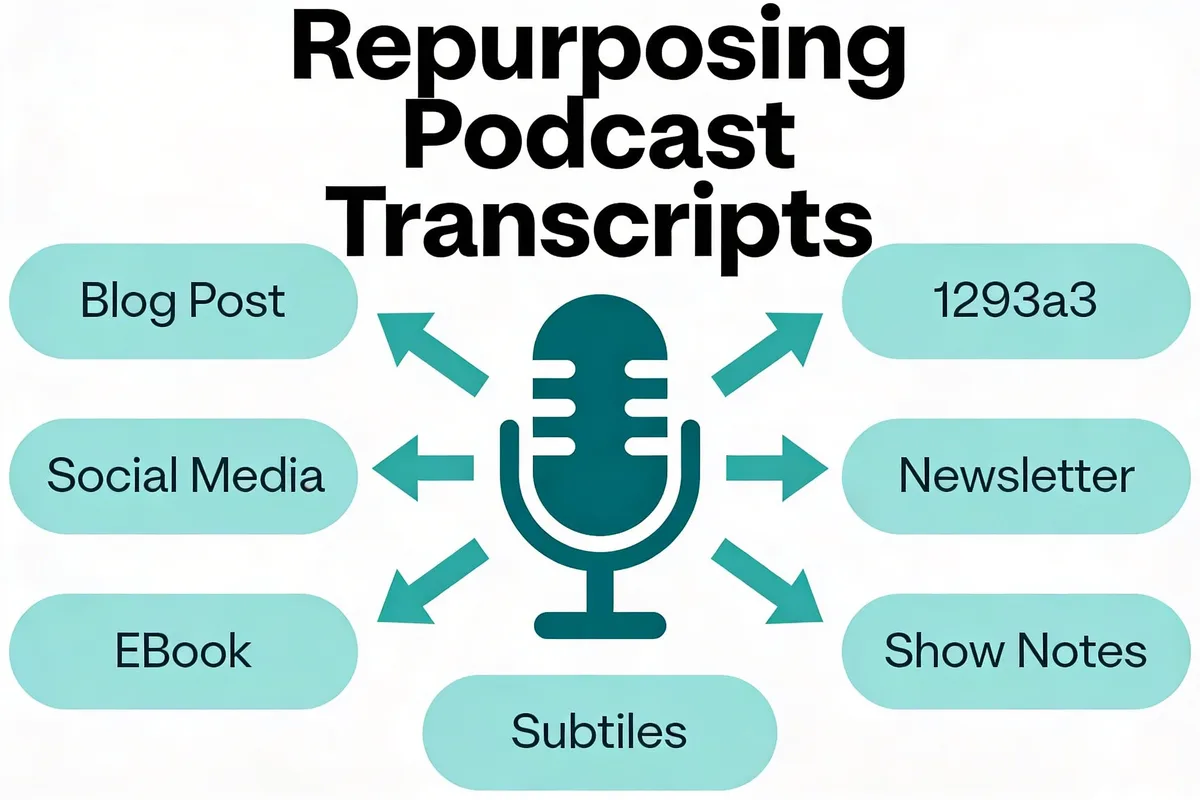
A transcript is raw material for a content engine. Here are six practical ways to turn one episode's transcript into multiple pieces of content.
1. Blog posts and show notes — Edit your transcript into a structured blog post. Add headings, remove filler, and embed relevant links. This is the fastest way to publish SEO-friendly content tied to each episode.
2. Social media quotes — Pull standout quotes and data points from your transcript. These work as text posts on LinkedIn and X, or as quote graphics on Instagram. One 30-minute episode typically yields 5-10 shareable quotes.
3. Email newsletter content — Summarize key takeaways from your transcript for your email list. Subscribers who prefer reading over listening will engage with this format.
4. Subtitle files for video podcasts — If you record video versions of your podcast, the SRT or VTT export becomes your subtitle file. No additional transcription work needed.
5. Ebooks and lead magnets — Compile transcripts from a themed series into an ebook. A 10-episode series on one topic can become a 20,000+ word ebook with minimal additional editing.
6. Training materials and documentation — If your podcast covers educational content, transcripts become searchable reference materials for teams, students, or community members.
According to RSS.com's podcast statistics, 584 million people listened to podcasts in 2025. Not all of them listened to your episode. But a repurposed transcript reaches the readers, searchers, and scanners who'd never press play. For more data on this, see our content repurposing statistics guide.
Tips to Improve Transcription Accuracy

Whether you're using Apple's built-in transcription or a dedicated AI tool, these practices will improve your results.
Before Recording
- Use a quality microphone — A $50 USB condenser mic dramatically outperforms laptop speakers
- Record in a quiet space — Close windows, turn off fans, and avoid rooms with hard floors that create echo
- Test audio levels — Aim for peaks around -6dB to -3dB to avoid clipping
During Recording
- Speak clearly and at a measured pace — Rushing drops accuracy significantly
- Avoid talking over guests — Brief participants to pause between turns
- Spell out unusual terms — If you mention a brand name or technical term the first time, spell it for the record
After Transcription
- Proofread the first 500 words carefully — This section carries the most SEO weight
- Fix proper nouns and technical terms first — These are the most common AI errors
- Stay consistent with formatting — Use the same style for speaker labels, timestamps, and paragraph breaks throughout
The difference between a "good enough" transcript and a professional one is about 10 minutes of focused editing per episode. That small investment pays off every time someone searches for a topic you covered.
For more on improving accuracy, see our guide on AI transcription accuracy.
What Results to Expect After Transcribing Your Apple Podcasts

Here's what you can realistically expect after you start transcribing consistently:
Week 1-2: Your transcripts are live. Google begins indexing the text content associated with your episodes. You have shareable content for social media and email.
Month 1: You'll notice increased time-on-page for episodes that have transcripts. Listeners who found you through search will spend longer on your site because they can both read and listen.
Month 2-3: As Google indexes more transcript pages, you'll start appearing in search results for long-tail keywords from your episodes. Topics you discussed conversationally now rank as written content.
Month 6+: With a library of transcribed episodes, your podcast website becomes a content hub. Each transcript page builds topical authority that strengthens every other page on your site.
Sonix research shows that 90% of AI transcription users report significant time savings, and 85% say AI enables focus on more important work. The ROI isn't just in search rankings. It's in the hours you get back every week.

Tools Mentioned in This Guide

| Tool | Purpose | Price | Best For |
|---|---|---|---|
| TranscribeTube | AI podcast transcription with editor | 40 min free, then pay-as-you-go | Podcasters wanting accuracy + export flexibility |
| Apple Podcasts Transcripts | Built-in auto-transcription | Free (included with Apple Podcasts) | Passive listener-facing transcripts |
| Audacity | Audio noise reduction | Free | Pre-processing audio before transcription |
| TranscribeTube Audio Converter | Convert any audio file to text | Included with TranscribeTube | Quick audio-to-text conversion |
Frequently Asked Questions
Can Apple Podcasts be transcribed automatically?
Yes. Apple automatically generates transcripts for podcasts published through Apple Podcasts. This requires iOS 17.4 or later and currently supports 11 languages. Transcripts appear in the Podcasts app where listeners can read along during playback. However, you can't edit Apple's auto-generated transcripts or export them in formats other than VTT. For editable, exportable transcripts, use an AI transcription tool like TranscribeTube.
What is the best free tool to transcribe Apple Podcasts?
For podcasters who need more than basic transcripts, TranscribeTube offers 40 minutes free with full editing capabilities, speaker identification, and multiple export formats. Apple's built-in feature is completely free but lacks editing and flexible exports. If you're technical, OpenAI's Whisper model is free and open-source but requires local setup. The right choice depends on whether you need just a transcript (Apple) or a transcript you can edit, export, and repurpose (TranscribeTube).
How does transcribing Apple Podcasts improve SEO?
Search engines can't listen to audio. When you transcribe your podcast, you give search engines thousands of words to index. This means your episodes can appear in search results for specific topics, questions, and keywords discussed in the episode. According to Sonix research, content with transcripts sees up to 50% higher engagement and 12% more views. Each transcribed episode becomes a searchable page that builds your site's topical authority over time. For a deep dive, see our guide on podcast SEO.
Why should I transcribe my Apple Podcast episodes?
Three practical reasons: accessibility, discoverability, and content efficiency. Transcripts make your podcast accessible to 466 million people worldwide with hearing loss. They make your episodes findable through Google search. And they give you raw material for blog posts, social media content, newsletters, and show notes without creating anything from scratch.
How long does it take to transcribe a podcast episode?
With AI tools, a 60-minute episode typically takes 2-5 minutes to process. Manual transcription takes 2-5 hours for the same episode. Apple's built-in transcription can take up to 24 hours after publishing. The fastest workflow: upload your audio to an AI tool right after recording, get the transcript in minutes, then spend 10-15 minutes editing for accuracy.
How to use transcripts for Apple Podcast content repurposing?
Start with your raw transcript and create multiple content formats. Edit it into a blog post with headings and links for your website. Pull 5-10 standout quotes for social media posts. Summarize key points for your email newsletter. Export as SRT for video subtitles. Over time, compile themed episodes into ebooks or guides. A single 30-minute episode transcript can produce a week's worth of content across channels. Check our content repurposing statistics for data on what works.
Conclusion
Transcribing your Apple Podcast episodes is one of the highest-ROI activities you can do as a podcaster. It takes minutes with AI tools, costs little or nothing, and gives you SEO visibility, accessibility compliance, and a steady supply of repurposed content.
Start with your most recent episode. Upload it to TranscribeTube using your free 40 minutes, review the transcript for accuracy, and publish it alongside your episode. You'll see the compounding benefits within the first few months.
The AI transcription market is growing to $19.2 billion by 2034 because the technology works. Don't let your podcast's spoken content stay locked in audio only.
Related guides you might find useful:
